Skip to content
Inversion Quest

Inversion Quest

A handstand and inversion trainer with a coach you can hear. It counts your holds out loud, listens for “go” and “stop”, and uses your phone’s camera to time every hold on its own.

Coming soon to the App Store and Google Play

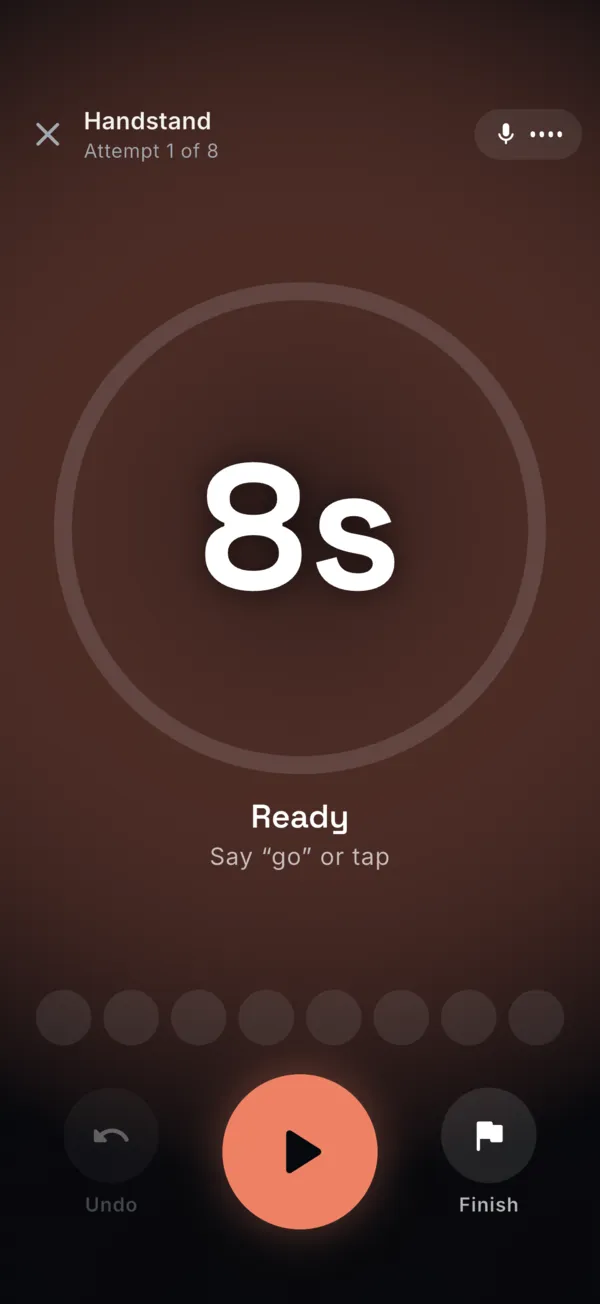
Floor Mode ready for the first attempt: target 8 seconds, with the hint Say “go” or tap.

Prop your phone up across the room. Say “go”, or just kick up.

Your hands are busy. The app runs the session.

Upside down, you can’t tap a screen. So Inversion Quest listens, watches and counts for you.

A coach that counts out loud and listens

A studio-recorded coach voice counts your holds, calls your rest and targets on the second, and walks you through every workout. Say “go”, “stop”, “undo”, “how long?” or “finish”: your hands never leave the floor.

  • Your music keeps playing while the coach talks
  • Add your own start and stop words
  • The studio voice is AI-generated, built into the app, and works offline
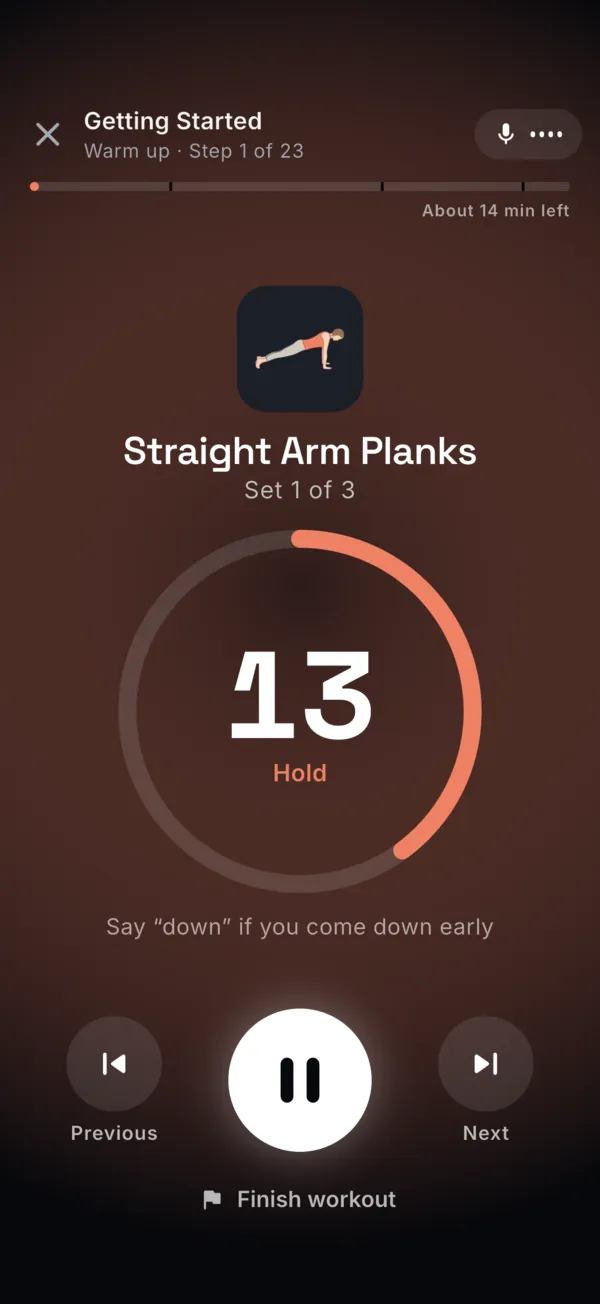
The hands-free workout player during Straight Arm Planks: a 13 second hold on the clock, with the hint Say “down” if you come down early.

Floor Mode sees your line

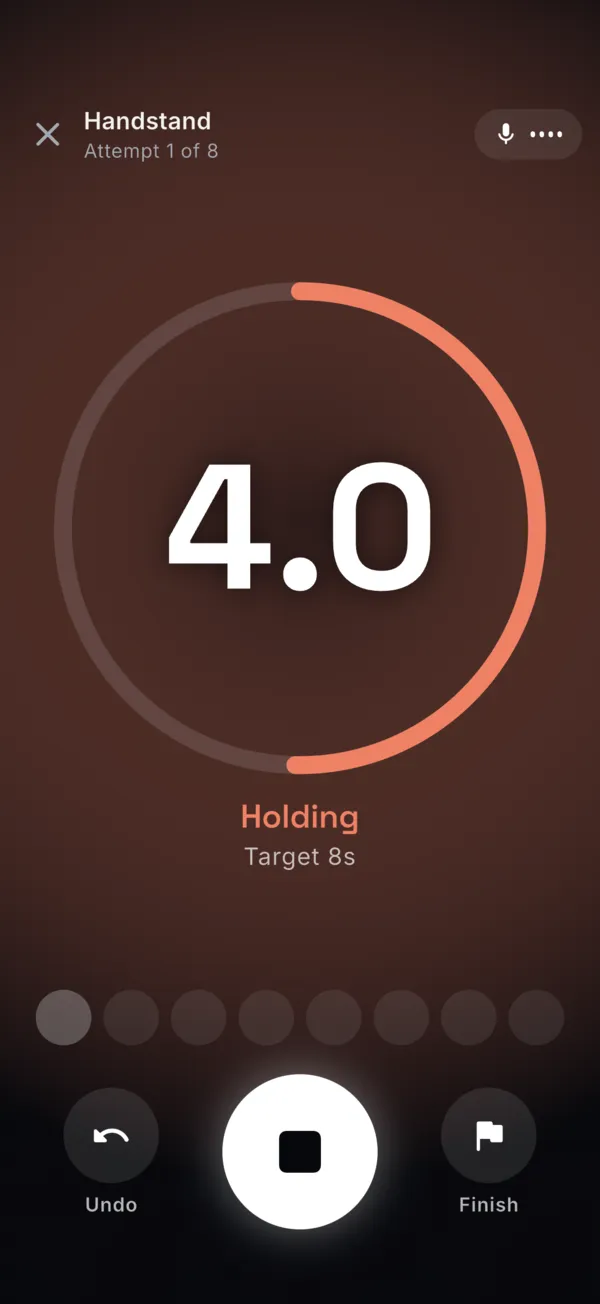
Lean your phone against something about six feet away. The camera spots when you go upside down, starts the timer, stops it when you come down, and measures your shoulders, hips and legs while you hold.

  • Pose detection runs on your phone, and the frames it checks are discarded
  • Every attempt is saved as its own short, silent clip on your phone
  • A dark, oversized display you can read from across the room
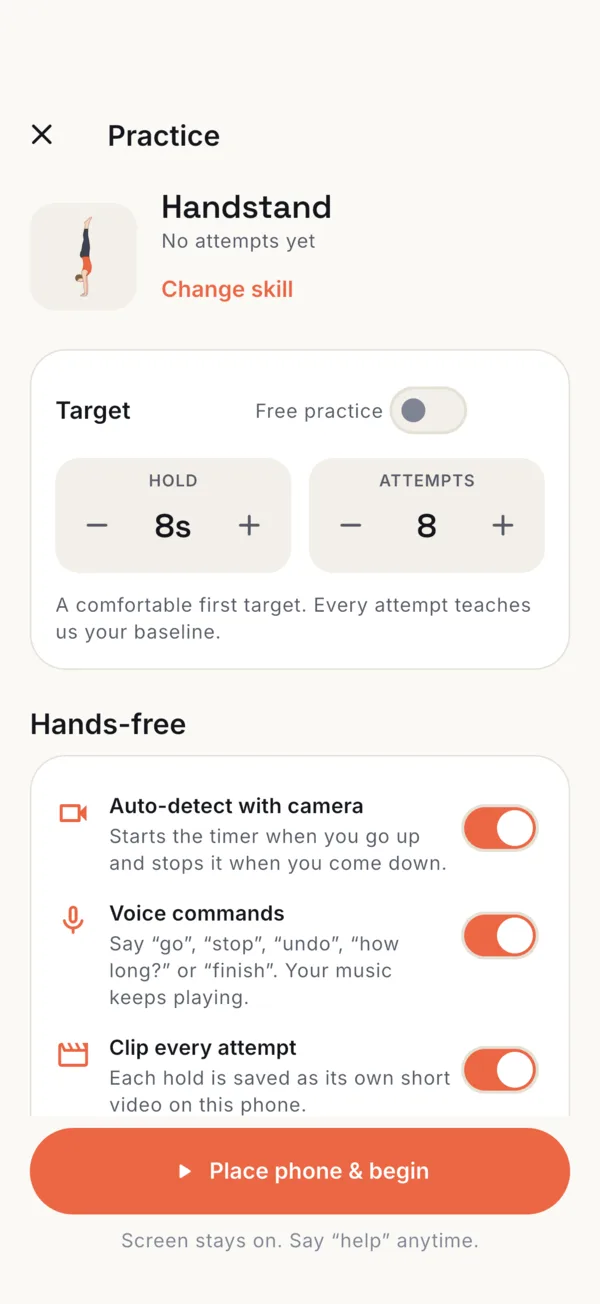
Practice setup for Handstand: 8 attempts of 8 seconds, with switches for Auto-detect with camera, Voice commands and Clip every attempt.

One skill at a time, all the way to freestanding

Follow the Road to freestanding, six steps from an inclined wall plank to a 15-second freestanding hold, or work through a guided program. Every session sets your next target: hit it twice and it goes up, have an off day and it eases back.

  • 3 programs and 19 guided workouts, run hands-free
  • 194 exercises with illustrations and tips
  • Bailing and wall work built in before freestanding
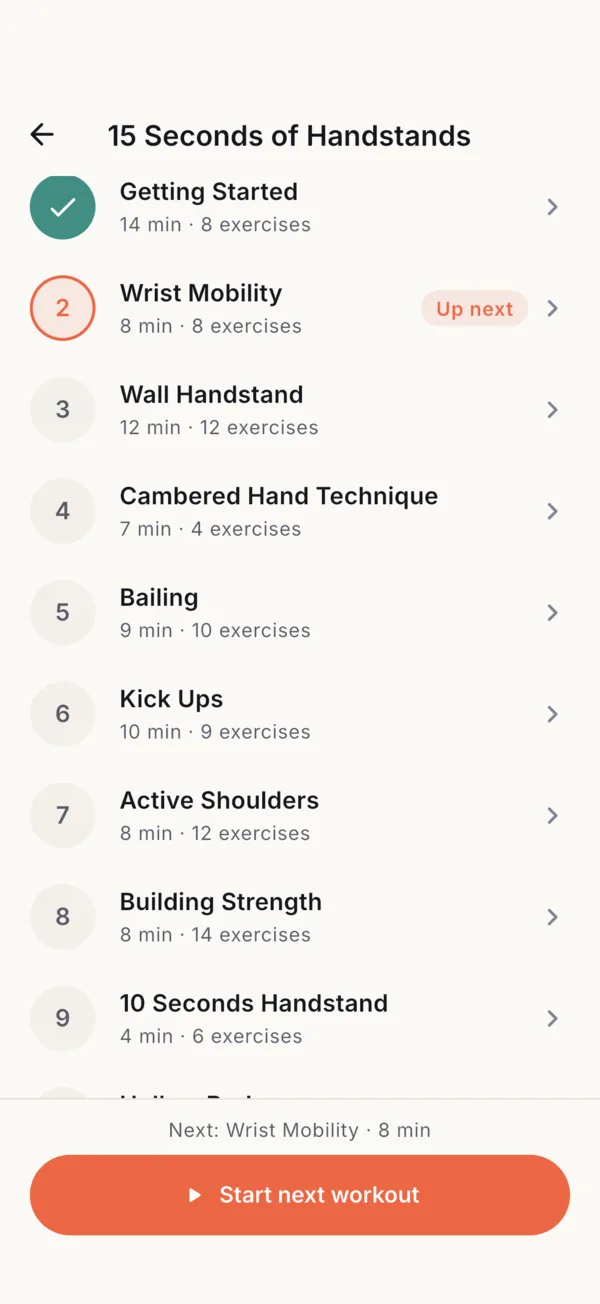
The 15 Seconds of Handstands program: Getting Started done, Wrist Mobility up next, followed by Wall Handstand, Bailing, Kick Ups and more.

Every hold counts, and you can see it

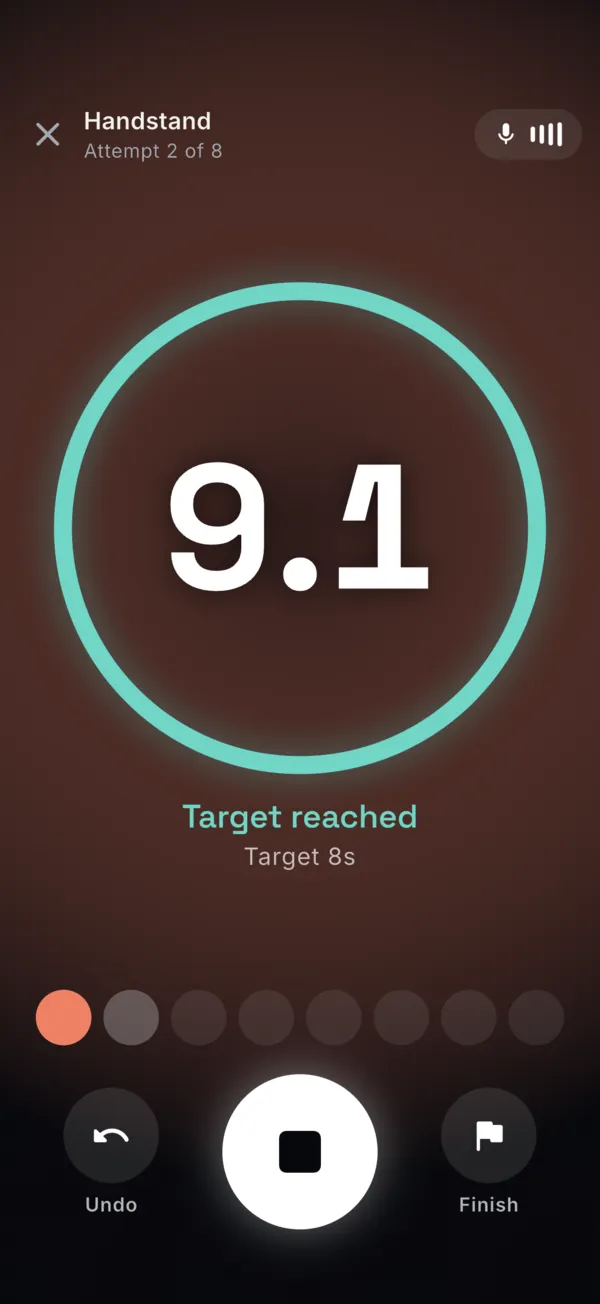
Each attempt is logged the moment you come down. See your best, typical and total for every session, personal records, your trend and a practice calendar, with streaks built on “never miss twice”.

  • New personal records are celebrated when you set them
  • Practice reminders with a Mark done button on the notification
  • Export your practice history as a file anytime
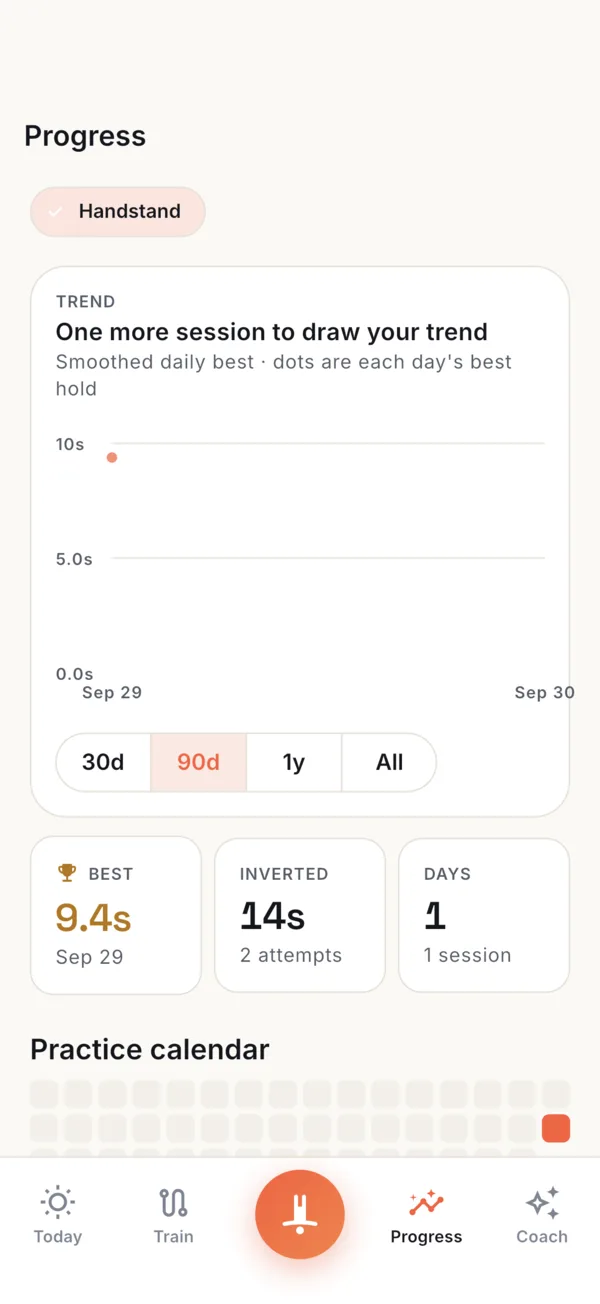
Progress for Handstand: best hold 9.4 seconds, 14 seconds inverted across 2 attempts, and a practice calendar.

What stays on your phone

Your practice is saved on your phone first, and some of it never goes anywhere else.

Read the privacy policy
  • Camera frames

    Pose detection runs on your phone. The frames it checks are analyzed in memory, then discarded.

  • Your clips

    Attempt videos are recorded without sound and saved on your phone, not on our servers. Only a form review you ask for sends up to four stills from one clip.

  • No account needed

    Practice signed out and your training stays on your phone. Sign in when you want backup and sync.

Coming soon to the App Store and Google Play

Want to hear the day it’s out? Email us and we’ll write back when it launches.

Email me at launch

Questions in the meantime? Write to info@humanquest.net or visit Support.